What is Canva Magic Design
Canva Magic Design is an AI design tool built into the Canva platform that transforms text prompts or uploaded photos and videos into polished, ready-to-use design templates in seconds. Whether you need podcast cover art, social media graphics, presentations, or short promotional videos, Magic Design analyzes your input and generates a curated selection of layouts tailored to your style and content — no design experience required. It is part of Canva’s broader Magic Studio suite, which bundles multiple AI-powered tools including Magic Resize, Magic Switch, Magic Write, and Magic Media into a single platform.
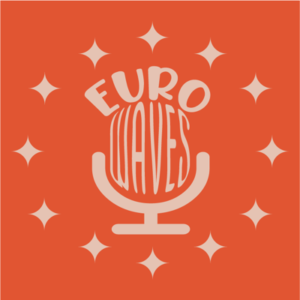
For podcasters specifically, Canva offers dedicated podcast cover templates, Apple Podcasts-spec artwork, audiogram video templates, and social media promotional graphics — all customizable via a drag-and-drop editor. The platform integrates with podcast hosting services such as Libsyn, where artwork designed in Canva is automatically optimized for podcasting dimensions. Teams can collaborate in real time, apply Brand Kit colors and fonts across all assets, and schedule social posts directly from within Canva.
Key Features
- AI-generated design templates from text prompts or uploaded media (Magic Design)
- Podcast cover art and Apple Podcasts-spec templates
- Magic Design for Video: combines clips and images into short social videos with music sync
- Brand Kit: apply brand colors, fonts, and logos across all designs with one click
- Magic Resize / Magic Switch: instantly reformat designs for different platforms and formats
- Real-time team collaboration with comments and shared workspaces
- Access to 140M+ premium stock photos, videos, audio tracks, and graphics (Pro)
Why we like it
- Podcast cover art and Apple Podcasts-spec templates built to platform requirements, with Libsyn integration for auto-optimized artwork
- Magic Studio AI suite — including Magic Design, Magic Resize, and background removal — bundled into one platform, rated #1 for AI image generators on G2's Summer 2024 grid
- Rated 4.7/5 across 5,800+ G2 reviews and 12,900+ Capterra reviews, with consistent praise for ease of use and template breadth
Pros & Cons
Pros
- Intuitive drag-and-drop interface praised by G2 and Capterra reviewers for enabling non-designers to create professional visuals quickly
- Vast template library — reviewers highlight the breadth of options for social media, podcast covers, and marketing assets
- AI tools (Magic Studio) rated highly by Capterra reviewers: 'you can expand an image, remove backgrounds in one click, or generate images from text'
- Generous free plan that lets beginners create professional-looking designs without spending anything
Cons
- Lacks advanced editing capabilities compared to professional tools — reviewers note no layer management, no PSD export, and no offline mode
- Many best templates, fonts, and AI features are locked behind the paid Pro plan, making the free tier feel limited for professional-level work
- AI-generated image and video resolution can be too low for anything beyond quick social media posts, per Capterra reviewers
Who is using Canva Magic Design
Podcast creators, content marketers, small business owners, and educators who need to produce professional-quality visual assets quickly without advanced design skills.
- Podcast creators designing cover art, episode promotional graphics, and Apple Podcasts-spec artwork
- Content creators and social media managers producing platform-specific graphics and short videos quickly
- Small business owners and marketers building branded visual assets without a design background
- Educators and students creating presentations, infographics, and classroom podcast visuals
- Teams collaborating on consistent branded content across multiple channels
Canva Magic Design Pricing
Freemium
Free (permanent, no time limit); Pro $15/month or $120/year per user; Teams $10/user/month or $100/user/year (3-user minimum); Enterprise: custom pricing. Free plans for verified nonprofits (up to 50 users) and K-12 educators/students.
Pricing details may change. Check the official website for the latest information.
What makes Canva Magic Design unique
Unlike dedicated podcast design tools, Canva Magic Design combines AI-generated template creation with a massive multi-format asset library, Brand Kit management, and direct integrations with platforms like Libsyn (where Canva-designed artwork is auto-optimized for podcast dimensions). Compared to alternatives like Adobe Express, Visme, and Snappa, Canva offers a significantly larger template library (1.6M+ free, 3.6M+ paid), broader collaboration features, and a more comprehensive AI suite (Magic Studio) — all within a single freemium platform accessible to non-designers.
Canva Magic Design Alternatives
Adobe Express, Visme, Snappa, VistaCreate, PicMonkey
Reviews & Ratings
★★★★★ 0.0 • (0)Share Your Experience
No Reviews Yet
Be the first to share your experience with this tool