What is Descript
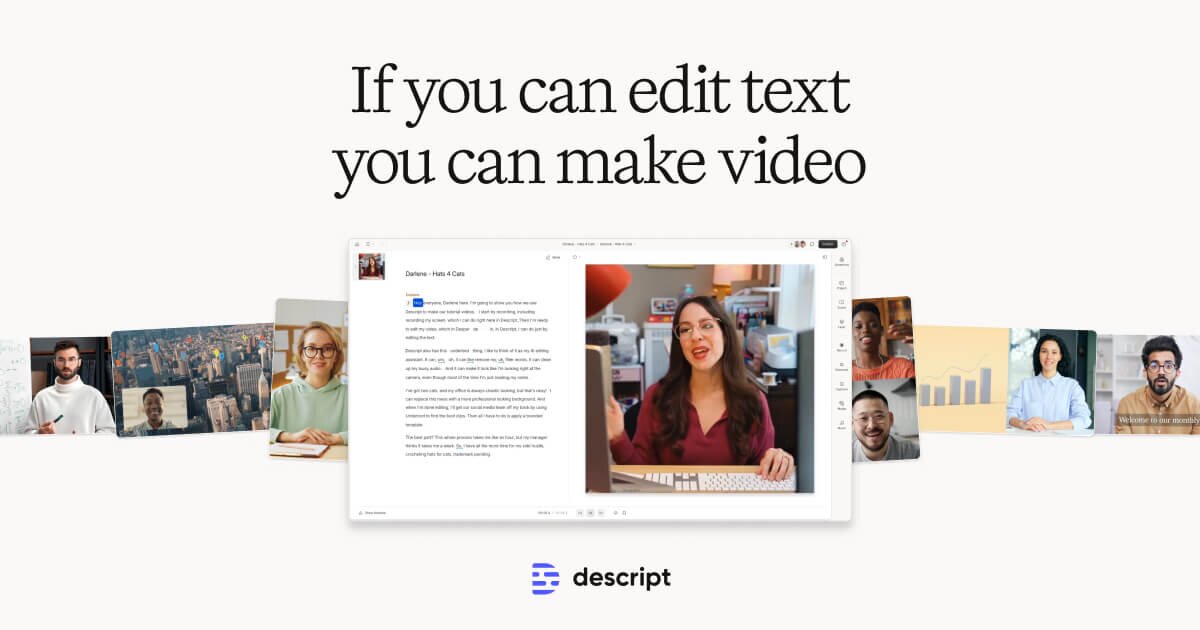
Descript is an all-in-one AI-powered platform for recording, editing, and publishing audio and video content. Its defining feature is text-based editing: media is automatically transcribed, and users edit the audio or video simply by editing the transcript — deleting a word removes it from the recording. This approach makes podcast and video editing accessible to beginners while still offering powerful tools for professionals.
Beyond transcript editing, Descript includes AI features such as Studio Sound (one-click background noise removal and audio enhancement), filler word removal, Eye Contact correction, Green Screen background removal, and Underlord — an AI co-editor that can generate scripts, suggest edits, create show notes, and identify social media clips. Voice cloning (formerly Overdub, now called Regenerate) lets users fix audio mistakes by typing corrections in their own synthesized voice.
Descript supports remote recording (via its SquadCast integration), screen recording, multi-track editing, real-time team collaboration with comments, and direct publishing to platforms like YouTube. It is used by podcasters, video creators, marketers, educators, and business teams who want to streamline content production without needing professional editing expertise.
Key Features
- Text-based editing: edit audio/video by editing the auto-generated transcript
- AI filler word removal (removes 'um', 'ah', repeated words with one click)
- Studio Sound: one-click AI audio enhancement and background noise removal
- Underlord AI co-editor: generates scripts, show notes, social posts, and auto-edits
- Voice cloning / Regenerate (formerly Overdub): fix audio mistakes by typing in your own voice
- Eye Contact correction and AI Green Screen background removal
- Remote recording via SquadCast integration, screen recording, and multi-track editing
Why we like it
- Edit podcasts and videos by deleting text in a transcript — no timeline scrubbing required, saving hours per episode
- Studio Sound AI can transform a noisy hotel-room or home recording into near-studio quality with one click
- Underlord AI assistant auto-generates show notes, social posts, and clip suggestions, turning one recording into multiple content assets
Pros & Cons
Pros
- Transcript-based editing is a massive time-saver, especially for podcasters and interview shows (workfromyourlaptop.com, G2 reviewers)
- Studio Sound AI audio enhancement can make poor-quality recordings sound studio-quality (workfromyourlaptop.com, G2 reviewers)
- Easy collaboration — team members can comment and edit like in a Google Doc (localcreative.co, thepodcasthost.com)
- Significantly reduces editing time compared to traditional timeline-based tools (G2, Trustpilot, Product Hunt reviewers)
Cons
- Interface is not always intuitive, and frequent feature relocations disrupt established workflows (blog.deciphr.ai, workfromyourlaptop.com, Capterra)
- Transcription accuracy drops with diverse accents, technical terms, or crosstalk, requiring manual corrections (blog.deciphr.ai, eesel.ai, Capterra)
- Can lag or become sluggish on longer or more complex projects, and advanced audio editing/mixing capabilities are limited compared to professional DAWs (G2, workfromyourlaptop.com, softwarefinder.com)
Who is using Descript
Podcasters, video creators, marketers, and business teams who want to edit spoken-word audio and video quickly without professional DAW skills, using an AI-assisted text-based workflow.
- Podcasters editing interview or solo shows via transcript without a traditional DAW
- Video creators producing YouTube, TikTok, or social media clips and repurposing long-form content
- Marketing and business teams creating product demos, training videos, and internal communications
- Educators and students recording and editing lectures or educational video content
- Content creators needing AI-assisted show notes, captions, and social media post generation
Descript Pricing
Freemium
Free ($0, ~1 hour media/month, watermarked exports); Hobbyist ($16/user/month billed annually or $24/month billed monthly); Creator ($24/user/month billed annually or $35/month billed monthly); Business ($50/user/month billed annually or $65/month billed monthly); Enterprise (custom pricing via sales). Non-profit/Education discount available at $8/editor/month (annual) or $12/editor/month (monthly).
Pricing details may change. Check the official website for the latest information.
What makes Descript unique
Descript's core differentiator is its text-first editing paradigm: rather than scrubbing a waveform timeline like Adobe Audition, Reaper, or Hindenburg, users edit a live transcript and the audio/video updates automatically. Combined with its Underlord AI assistant, voice cloning, Studio Sound, and SquadCast remote recording integration, it positions itself as a single subscription that replaces multiple tools. Competitors like Riverside.fm focus more on high-quality remote recording, while Adobe Audition and Reaper offer deeper DAW-level audio control but lack the transcript-editing workflow. Descript is consistently cited as the best choice specifically for spoken-word podcast editing speed, though it falls short of professional DAWs for complex audio production.
Descript Alternatives
Riverside.fm, Adobe Audition, Audacity, Hindenburg Journalist, Podcastle
Reviews & Ratings
★★★★★ 0.0 • (0)Share Your Experience
No Reviews Yet
Be the first to share your experience with this tool