
What is VoiceScroll
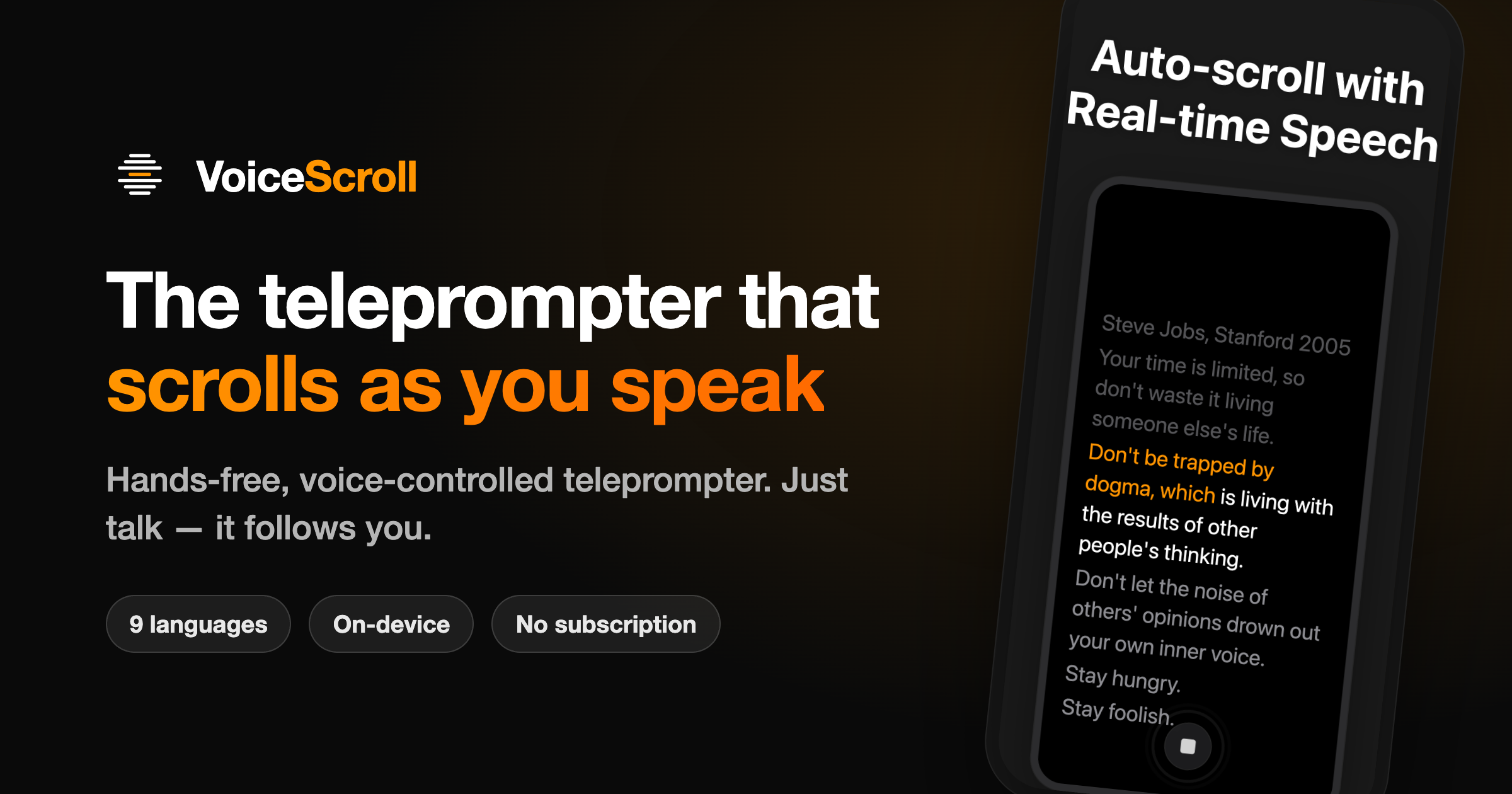
VoiceScroll is a teleprompter app for iPhone, iPad and Android that scrolls your script as you speak. Speed up, slow down or pause, and the script stays with you.
You can scroll by voice, at a set speed, or one word at a time with a Bluetooth keyboard or a remote. Read the script on its own, with horizontal and vertical mirroring for teleprompter glass. Record in the app with the script over the camera. Or keep reading in a small window while another camera app records.
Videos you record in the app can get captions timed to your voice. You can cut the pauses and export the captions as an .srt file.
You can change text size, line height, letter spacing and alignment while you read. VoiceScroll recognizes 34 languages on iPhone and iPad and 26 on Android. Speech recognition runs on your device by default. There is no account and no ads.
Every feature is free for scripts up to 300 characters. Pro removes the limit, as a yearly or monthly subscription or a one-time lifetime purchase.
Key Features
- Voice-activated auto-scroll that matches your speaking pace
- Real-time word highlighting showing current, spoken, and upcoming text
- On-device speech recognition (no data sent to servers by default)
- Video recording with script overlay and camera picture-in-picture
- Auto-generated captions synced to voice with SRT export
- Customizable text formatting (size, line height, letter spacing, alignment)
- Support for 34 languages on iOS, 26 on Android
Why we like it
- Voice tracking adapts to your natural pace—pause, speed up, or slow down and it follows you
- On-device speech recognition keeps your scripts and voice private by default
- One-time lifetime purchase option eliminates recurring subscription fees
Pros & Cons
Pros
- Hybrid voice tracking keeps scrolling smooth during pauses and natural speech variations
- Privacy-first design with on-device processing and no account required
- Flexible pricing with free tier for scripts up to 300 characters and one-time lifetime purchase option
- Multiple recording modes: standalone, overlay on camera, or floating window over other apps
Cons
- Free tier limited to 300-character scripts
- On Android, floating window voice-following may stop if another app takes the microphone
- Video quality depends on device resolution settings
Who is using VoiceScroll
Content creators, podcasters, public speakers, and video producers who need hands-free script reading with automatic scrolling synchronized to their natural speaking pace.
- YouTube and short-form video creation
- Podcast and voice-over recording
- Live streaming and broadcasting
- Public speaking and presentation practice
- Speeches, sermons, and lectures
VoiceScroll Pricing
Freemium
Free (up to 300 characters); VoiceScroll Pro available as yearly subscription, monthly subscription, or one-time lifetime purchase (prices shown in App Store and Google Play; specific amounts vary by region and store).
Pricing details may change. Check the official website for the latest information.
What makes VoiceScroll unique
VoiceScroll differentiates itself through hybrid voice tracking that maintains smooth scrolling even during natural pauses and speech variations, unlike fixed-speed teleprompters. Its privacy-first architecture runs speech recognition on-device by default, storing no scripts or audio on servers. The app offers flexible pricing with a free tier and one-time lifetime purchase option rather than mandatory subscriptions, and supports 34 languages on iOS with customizable text formatting for accessibility.
VoiceScroll Alternatives
VocalScroll, Teleprompter.com (with VoiceGlide), TeleScroll, Riverside.fm
Reviews & Ratings
★★★★★ 0.0 • (0)Share Your Experience
No Reviews Yet
Be the first to share your experience with this tool