What is SquadCast
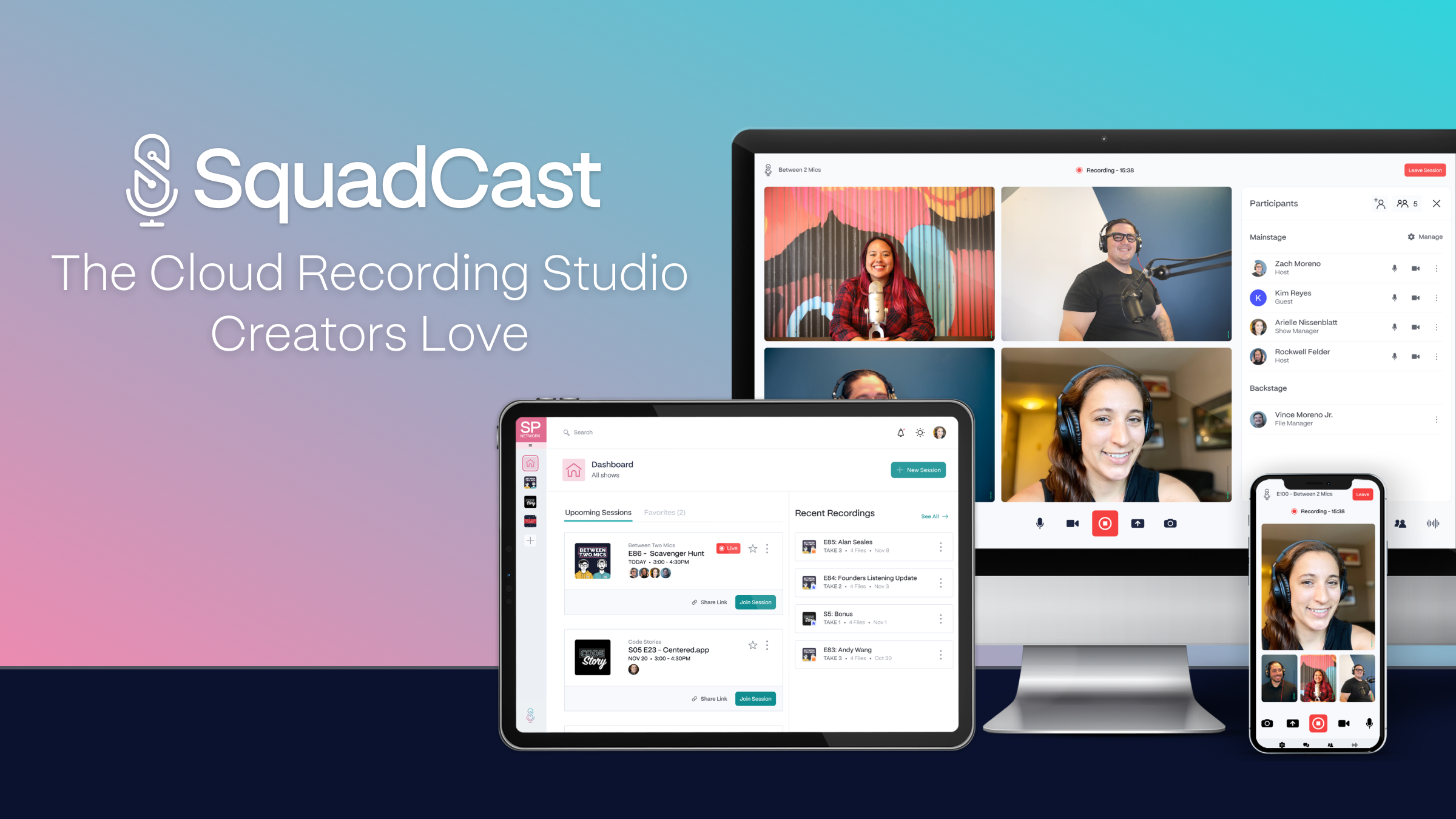
Cloud-based remote interview recording with video and progressive uploads.
Key Features
- Local recording with Progressive Upload — each participant's audio/video captured at the source and continuously backed up to the cloud
- Separate tracks per participant (48kHz WAV audio; up to 4K video on Creator+ plans)
- No download required for guests — fully browser-based (Chrome, Firefox, Edge, Brave, Opera)
- AI suite: filler-word removal, Studio Sound, Green Screen, Eye Contact, Create Clips, Draft Social Posts, and more
- Backstage feature — silent observers can watch and chat without occupying a recording seat
- Team workspaces with role assignments, multiple shows, session search, and rollover recording hours
- Native integration with Descript for seamless post-production editing and transcription
Why we like it
- Local-first recording means studio-quality audio even on shaky guest Wi-Fi — no more ruined interviews
- Guests join with one click — zero downloads, zero accounts, zero friction
- Comes bundled with Descript's full editing suite, making it two professional tools for one subscription price
Pros & Cons
Pros
- Patented local recording eliminates audio drift, sync issues, and lost files even during power outages
- Zero friction for guests — just click a link, no account or download needed
- Bundled with Descript, providing two professional tools for the price of one subscription
- Highly responsive customer support consistently praised by users
Cons
- Recording hours are capped per plan (not unlimited), with extra time billed at $5/hour
- No built-in podcast hosting or distribution — a separate host is required to publish episodes
- Full integration with Descript editor is still in progress; workflows between the two apps are not yet fully seamless
Who is using SquadCast
Ideal for interview-format podcasters, video creators, and content teams who prioritize studio-quality remote recordings, separate participant tracks, and a frictionless guest experience.
- Solo podcasters recording remote interviews with guests or co-hosts
- Video podcasters needing 4K separate tracks for YouTube repurposing
- Production agencies managing multiple shows with team workspaces and role-based access
- Corporate content teams (e.g. Microsoft, Spotify, NPR) producing branded audio/video content at scale
- Interview-format creators who want reliable, high-quality remote sessions without burdening guests with tech setup
SquadCast Pricing
Freemium
Free tier with 1 hr/month recording (watermarked exports); Hobbyist plan from ~$9/mo (10 hrs, 1080p, Basic AI suite 20 uses/month); Creator plan (~$20+/mo) adds 30 hrs, 4K video, Dolby master audio, unlimited AI; Business plan adds team seats, SLA support, 40 hrs, Professional AI suite; extra recording hours available à la carte at $5/hr
Pricing details may change. Check the official website for the latest information.
What makes SquadCast unique
SquadCast's core differentiator is its patented Progressive Upload technology, which records audio and video locally on each participant's device and continuously uploads files to the cloud during the session — so even a complete internet outage or power failure cannot destroy a recording. This approach eliminates audio drift, sync issues, and the quality degradation inherent in tools like Zoom that record the live stream rather than the source. Combined with its 2023 acquisition by Descript, SquadCast now uniquely offers two professional-grade tools (recording + editing) bundled into one subscription, a pairing no other standalone remote recorder can match out of the box.
SquadCast Alternatives
Riverside.fm, Zencastr, Descript, StreamYard, Podbean
Reviews & Ratings
★★★★★ 0.0 • (0)Share Your Experience
No Reviews Yet
Be the first to share your experience with this tool